


Add to screen

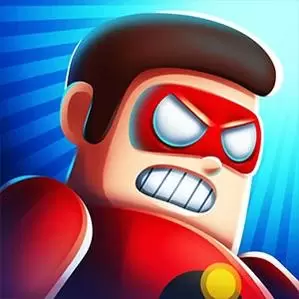
Giant Wanted

Top 20 Games

Protect My Dog

Protect My Dog continues with the second part of the game. The evil bees have come out to sting him. The only way you can save the dog is to draw a line to stop those bees. Fighting the Bees will continue for 85 Levels and things will get a little more difficult with each level.
4.11K players

Jigsaw

Quebra-cabeça games are a popular type of intelligence game, with a variety of variations and varying levels of difficulty. Jigsaw can be divided into single sided Quebra-cabeças, double-sided Quebra-cabeças, three-dimensional Quebra-cabeças, and so on
4.51K players

Saw Machine.io

Saw Machine.io is an Action game. You can play Saw Machine.io in your browser for free. The competition in Saw Machine.io is cruel and fierce. You need to drive dangerous motorcycles and trucks to destroy your enemies and survive to the end. The competition between you and the enemy is fair. Each car has its own advantages and disadvantages. Motorcycles have better steering but are smaller in size. Trucks are difficult to transform, but they are larger and easier to attack the enemy. You can increase your attack power and health by upgrading your vehicle. Join the game to enjoy the fun of the competition.
6.52K players

Pin Pull

Classic game, this tricky classic puzzle game has unlimited challenges and fun. Carefully observe the level and plan your movements to pull the pins in the correct order. But be careful! Don't let dangerous mechanisms come into contact! Join and solve all awe inspiring puzzles!
7.53K players

Spiner Shooter

Spiner Shooter
5.31K players

Royale Battle

Royale Battle
3.88K players

Giant Wanted

ShootGame
9224 Players

Game Information

Developer:

Jack Davis

Released:

2025-01-09

Rating:

5.0 ( 9224 Players )

Platform:

Browser (desktop, mobile, tablet), App Store(iOS, Android)

Game Description

GiantWanted

Game Guide

No guide available

The steps to add an app to the Home Screen on iOS and iPadOS are as follows:

  1. Open the "Share" menu at the bottom or top of the browser.
  2. Click to Add to Home Screen.
  3. Confirm the app name; the name can be modified.
  4. "Click to Add"